askROI Blog
Connect your apps so askROI can answer from your real work
Connect Google Drive, Slack, Notion, Outlook, GitHub and more once, then ask about your actual files, threads and meetings in plain words.
By askROI · · Updated
Try it
Ask about something that lives in one of your apps. If that app isn't connected yet, askROI says so and puts a Connect button right in its reply.
Opens a new chat with a message you can edit before sending
Most of what you'd want help with isn't on the public web. It's in a Slack thread, on your calendar, in the doc you edited on Tuesday. So you become the courier: copy the thread, paste it into the chat, carry the answer back to wherever the work lives.
An integration hands that job to askROI. You connect an app once, and from then on you can ask about it the way you'd ask a colleague who has access.
You can see every call it makes
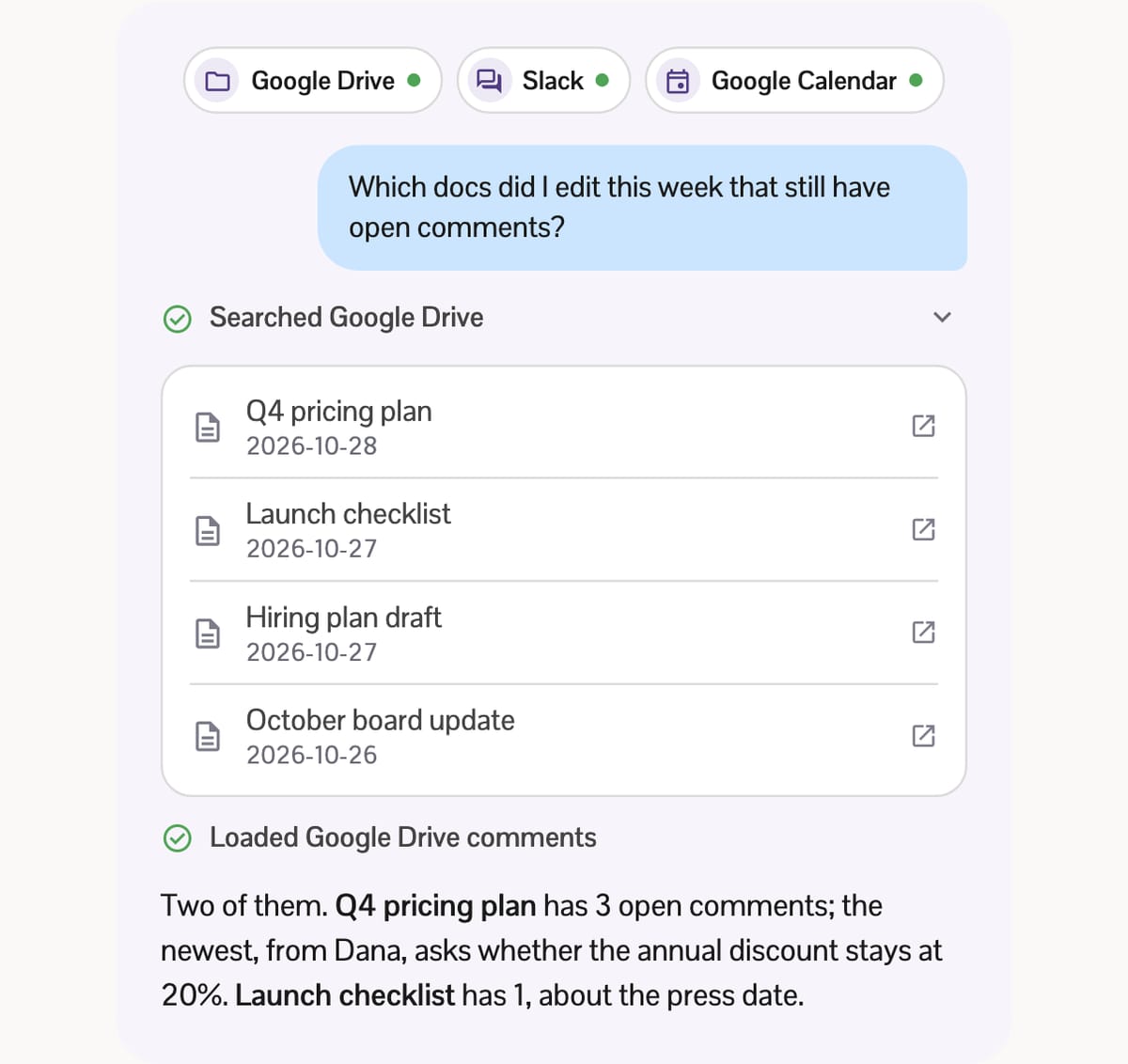
When a question needs one of your apps, askROI calls it and lists each call as a step above the answer, such as Searched Google Drive or Loaded Google Drive comments. Open a step to see what came back. For Google Drive, Google Calendar, GitHub, Notion, PostHog and Canva, that's a tidy card: files with the dates they changed, events with their times, pull requests with their status, each linking back to the app.
Then the answer is written from that data, not from a guess about what your week probably looked like. If you share the chat, the shared copy leaves out what your apps returned.
Connecting takes one sign-in
On a computer, open Tools and choose Integrations. In the iPhone and Android apps, go to Settings, then Integrations. Pick an app, tap Connect, sign in to it, and approve what askROI may reach. You need a free askROI account.
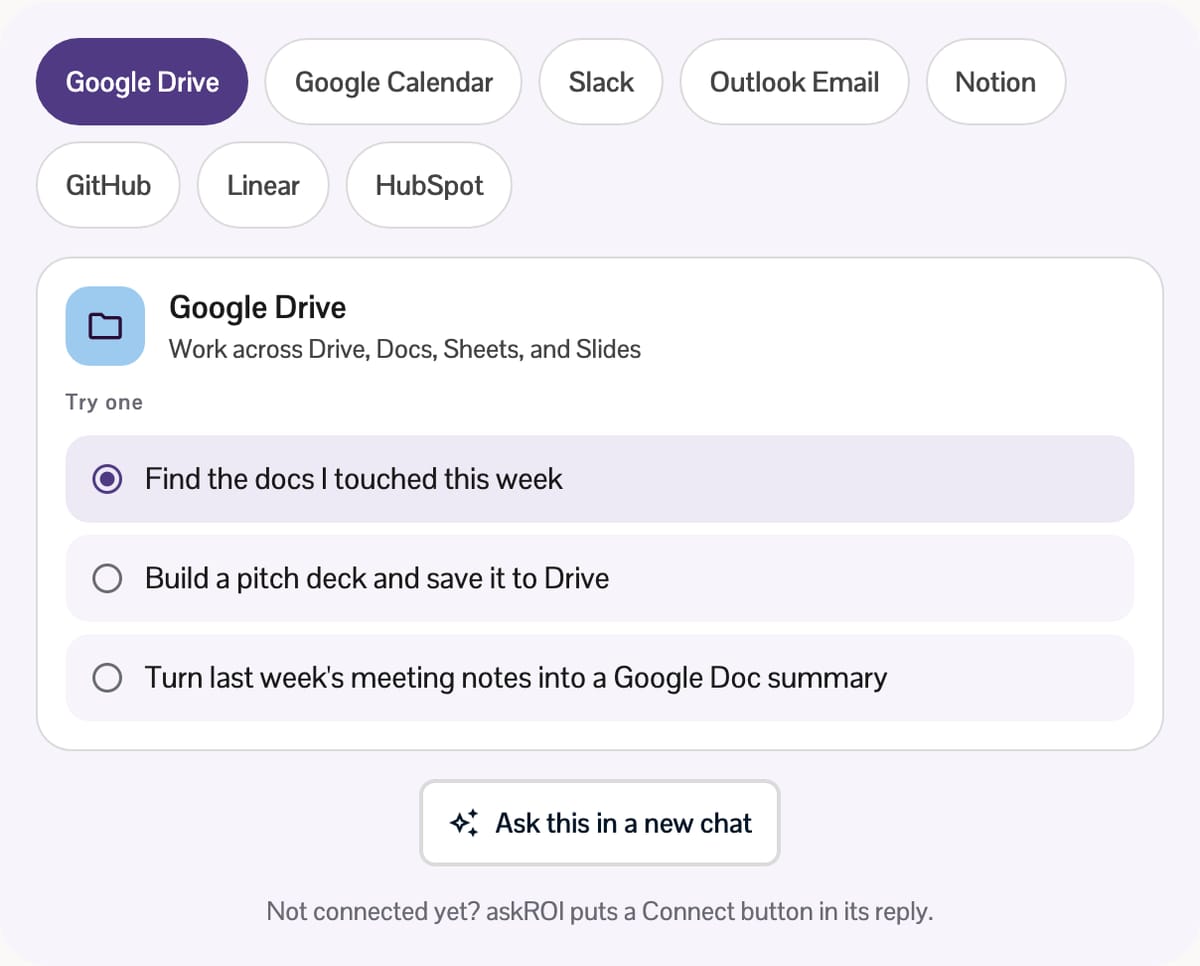
Each app gets its own page: whether it's connected, what it adds, and a few prompts to try that start a chat when you tap one. A switch on the same page keeps an app connected but out of your chats, and Remove integration disconnects it.
Pick an app below to see what it does and what to ask it first. The prompts are the same ones its page suggests.
What you can connect
- Files and notes: Google Drive (including Docs, Sheets and Slides), OneDrive and Notion
- Calendars: Google Calendar, Outlook Calendar and Calendly
- Email: Outlook Email, plus Email Reports, which sends reports from your chats and automations to your own account email
- Team and projects: Slack, Linear and GitHub
- Design and data: Canva and PostHog
Some connections can change things, not only read them. askROI can save a deck it made to Google Drive, save a spreadsheet to OneDrive, or create a Notion page. Outlook Email is careful by design: askROI can search, read and draft replies, but drafts land in your Outlook Drafts folder and you send them yourself.
Many apps also bring their own built-in custom tools, listed under Includes on the app's page. Connect Slack, for instance, and askROI gets tools for channel summaries, daily digests and reply drafts.
Bring any app that speaks MCP
Many of these connections run on MCP, short for Model Context Protocol, an open standard for connecting AI apps to outside systems. Its own docs compare it to a USB-C port for AI applications (checked October 29, 2026): one plug shape, many devices.
Because askROI speaks it too, you aren't limited to the list. Choose Add a custom integration, give it a Name and a Server URL (it must start with https://), add an authentication header if the server needs one, and press Test Connection before you save. Only connect servers you trust.
Put it on a schedule
A question you ask every week is a good candidate for an automation. The Email Reports page suggests a few: a weekly PostHog signup report, a daily GitHub pull request summary, a product metrics report every Monday. Each one runs on its own and lands in your inbox. For single-app starting points, try the Google Workspace assistant, Slack assistant or Microsoft 365 assistant.
Ask "what should I work on first today?" with nothing connected and you get sensible advice for anybody. Ask it with your calendar, your inbox and your team's threads connected, and you get an answer about your day.