askROI Blog
Automations put weekly questions on a schedule
Write a prompt once, pick when it runs, and askROI starts a fresh chat on time and lets you know. Start from a template or just ask.
By askROI · · Updated

Try it
Tell askROI what you want and when. It drafts the automation on a card, and nothing is scheduled until you tap Confirm.
Opens a new chat with a message you can edit before sending
Some questions you ask once. Others you ask every Monday: what moved in the market, what shipped overnight, what's for dinner this week. You know the answer will help, and you still forget to go and get it.
An automation is a prompt with a clock attached. You write it once and pick when it runs. On time, askROI starts a fresh chat, does the work, and lets you know it's there.
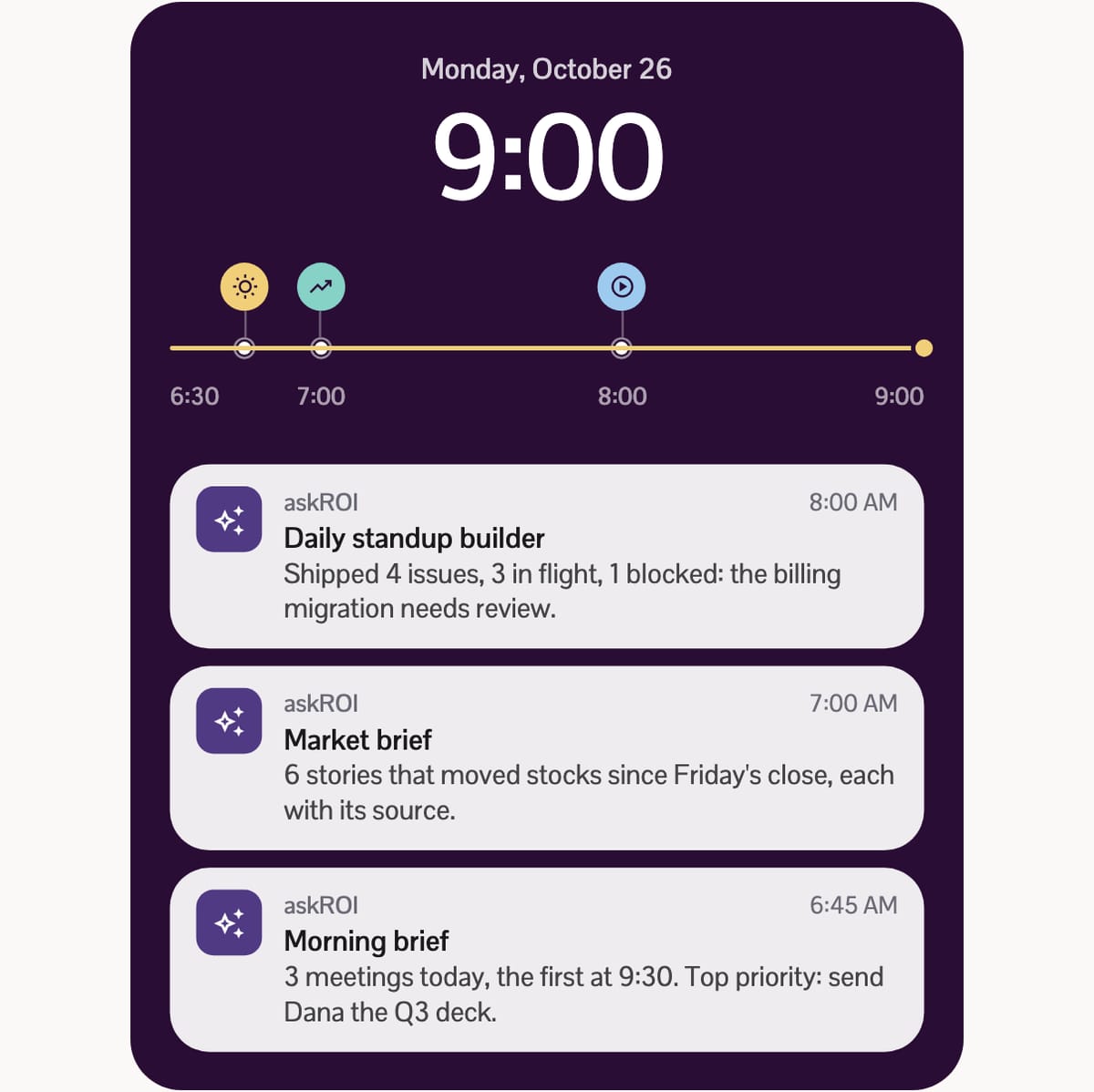
Every run is a new chat
Each run starts its own conversation, named after the automation and the time it ran, like Market brief • Oct 26, 7:00 AM. On your phone, a push notification tells you it's ready. Open it and it's an ordinary chat: ask a follow-up, turn the answer into a spreadsheet, share it with someone.
The automation's own page keeps a Run history of every chat it started, and Run now starts one straight away when you'd rather not wait for the schedule.
Start from a template
askROI calls each scheduled automation a routine. The quickest way in is the template gallery on the Routines screen. Templates are grouped into Work, Engineering, Product analytics, News & markets, and Personal, and each comes with a written prompt, a sensible default time, and the apps it reads from. Some need nothing but the web, like the market brief or the weekly meal plan. Others read from apps you connect, such as Linear or PostHog, and the setup sheet lets you connect them before you create the automation. Automations other people have built and shared are on the community recipes page, ready to install.
Pick one to see what it does, then open its setup sheet in the app:
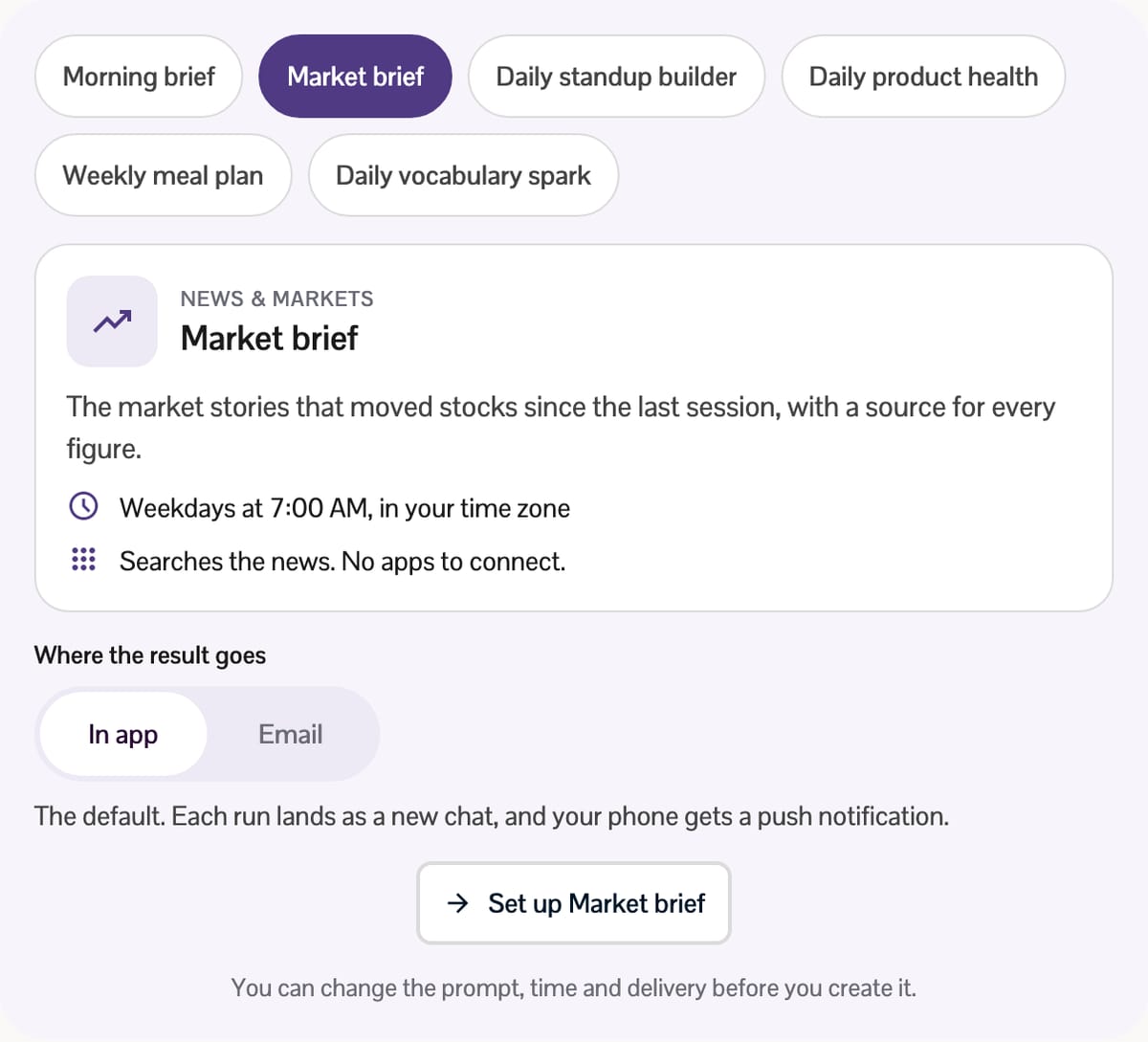
Templates that need a connected app or run in Premium mode carry a High usage label, because each run tends to use more credits. On a desktop browser, automations and their templates live on the Tools board, and the Routines link takes you there.
Or describe it in a chat
You don't need the Routines screen at all. Say what you want and when in any chat, as in the Try it prompt above, and askROI drafts the automation with a name, a prompt and a schedule. Read it over, then tap Confirm, or Dismiss if it got something wrong. The AI automations page has more starting points.
A chat can also set up something the form can't: an automation that runs when something happens rather than at a set time, such as a new email arriving in an inbox you've connected, or another app calling the automation's webhook URL.
What you can set
- When it runs: One time, Daily, Weekdays, Custom days, Monthly, or Every few minutes or hours, anywhere from every 5 minutes to every 12 hours. A monthly run set for the 31st happens on the last day of shorter months. Times follow your own time zone.
- How hard it thinks: Standard or Premium mode. Turn on Model Council and each run answers three ways and combines the answers, for a lot more credits.
- What it can use: your custom tools and connected integrations, picked per automation.
- Where the result goes: in the app by default. Email sends each finished run to the address on your account, and chat apps such as Slack or Telegram show up as choices when your account has them.
What it costs
Every run is a full chat turn and uses credits like one, so a daily automation spends about what asking that question every day would. A run needs at least 50 credits to start. If your balance drops below that, your automations pause and the Routines screen says why; top up, then resume them. An automation that needs an app also pauses if that app is disconnected, and you resume it after reconnecting.
The best automations are boring on purpose: the same question, at the same time, answered before you think to ask it. Start with one you already ask every week, and let it come to you.