askROI Blog
Teach askROI a task once with a custom tool
A custom tool saves how you want a job done, your format, rules and examples, so askROI follows it in any chat without you explaining it again.
By askROI · · Updated

Try it
Describe a task you repeat and exactly how you like it done. askROI saves it as a custom tool you can use in every chat after, and this one also runs on this week's notes so you can check the format.
Opens a new chat with a message you can edit before sending
You've typed this paragraph before. Keep it under 120 words. Shipped first, blockers last. Numbers as digits. Every new chat starts from zero, so you paste the same rules again, or you forget one and fix the result by hand.
A custom tool is that paragraph, saved once, where askROI can find it. The next Monday you send your notes and nothing else.
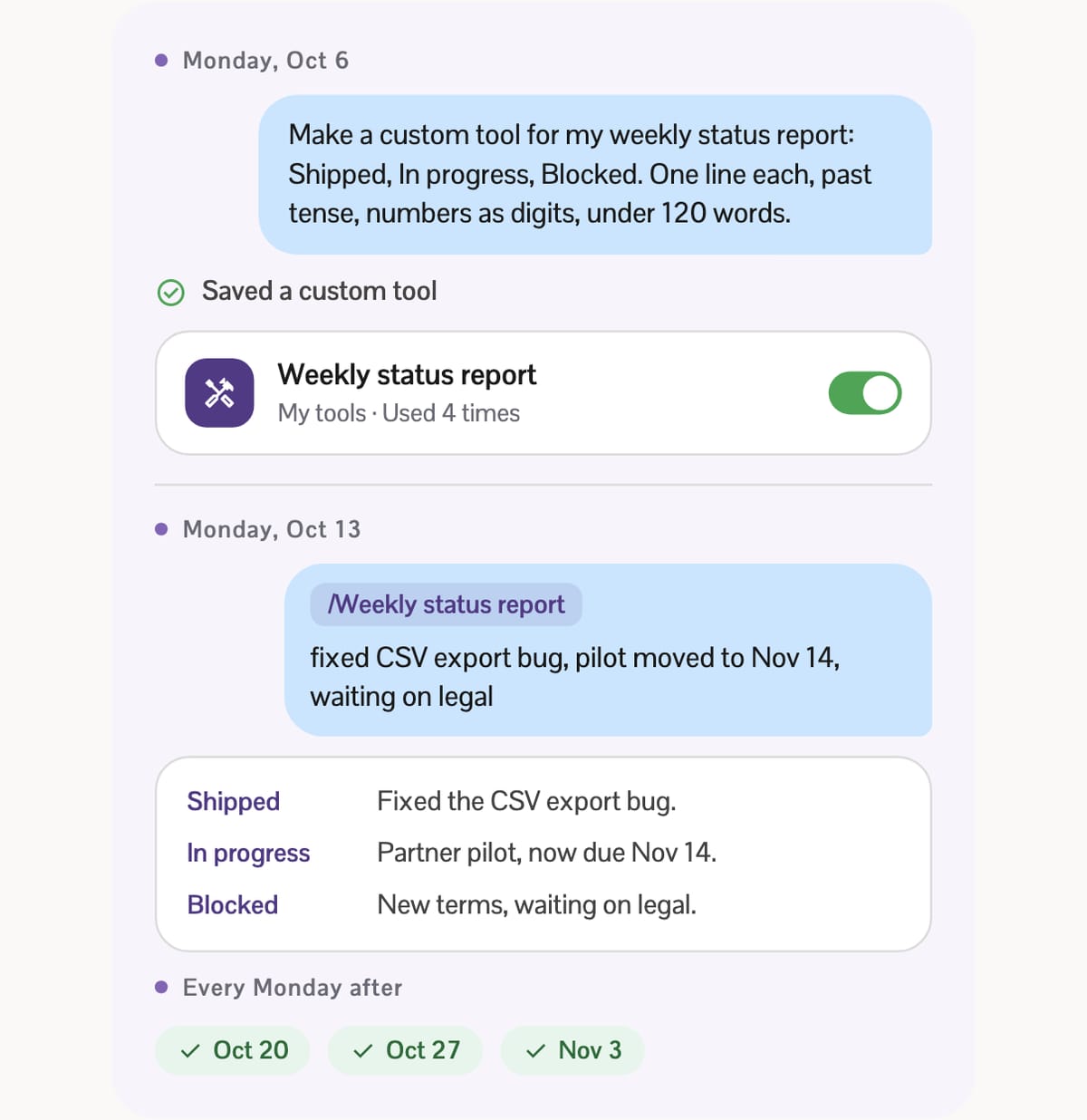
A custom tool is a name, a trigger and your rules
Inside, a custom tool is short: a name, one sentence on when to use it, and the instructions. Bigger ones can carry files too, such as a script that cleans up a spreadsheet the same way every time, or a template for a document.
askROI keeps only the names and those one-line descriptions in view. When a request matches one, it opens that tool's full instructions and follows them. So you can keep a lot of tools switched on without crowding every answer.
The format isn't ours alone. A custom tool is a folder with a SKILL.md file, the Agent Skills format that Anthropic developed and released as an open standard (checked October 29, 2026). That's why you can export a tool you made as a ZIP, or install one someone else published on GitHub.
Three ways to get one
Ask for it. Start with "make a custom tool that..." in any chat. askROI's built-in Tool creator asks what the tool should handle and what should set it off, writes the instructions, and saves the tool to your account. Saved a custom tool shows up in the steps when it's done.
Say yes when askROI offers. After a long task with many steps, askROI may offer to keep how it did the work. A card reads New custom tool: and a name, with Show instructions so you can read what it wrote. Nothing is saved until you tap Save, and the offers stay rare: at most a couple a day, and never more than one waiting in a chat.
Install one. Paste a GitHub link into a chat and ask askROI to install it, or upload a ZIP. You can also browse the custom tools marketplace for tools other askROI users published; adding one gives you a private copy you can edit. Custom tools aren't reviewed, so only install them from sources you trust.
Not sure what to teach it first? Pick a job below to see the message you'd send once, and the short one you'd send every time after.
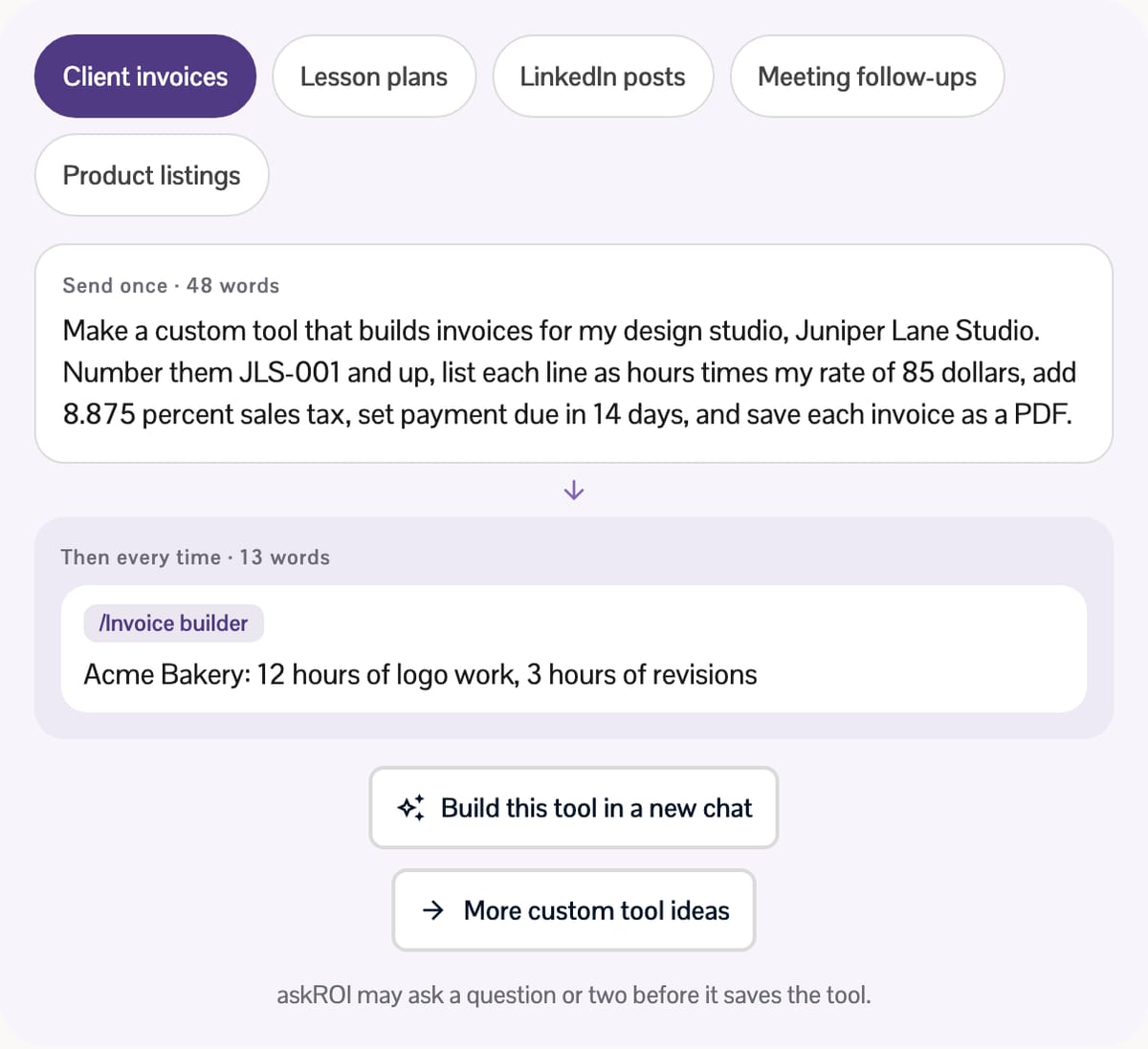
Using it next time
Ask for the result the way you'd ask a coworker. If what you ask matches a tool's description, askROI uses it. To pick one yourself, type / in the message box and start typing its name: /Weekly status report drops in as a tag, and that message runs with the tool.
Changing a tool works the same way. Say "add a Risks section to my weekly status report tool," and askROI edits the tool you already have instead of making a second one.
Where your tools live
On a computer, open Tools and choose Manage tools. On a phone, go to Settings, then Custom tools. My tools lists everything you made or installed, each with a switch and a count of how often it's been used ("Used 4 times"). From there you can export a tool, share it with your organization, publish it to the marketplace, or archive it.
Custom tools need a free account.
More than 70 come built in
You've likely used custom tools without noticing. About 20 built-in ones are on from the start, including Word documents, PDFs, Presentations, Spreadsheets, Image creation and editing, Mini apps, AI Humanizer and Tool creator itself. They're the reason "turn these notes into a one-page PDF" just works.
The rest wait under Available tools until you switch them on. Many are written for one job: Review and redline a contract, Write a performance review, Plan a lesson, Tailor a resume to a job posting, Build a personal budget. Integrations add their own once you connect the app, like Slack tools for channel summaries and reply drafts. A few, such as Motion design and 3D models, need a paid plan.
A good custom tool is quietly boring. The tenth report looks exactly like the first, and somewhere around the third you stop thinking about the format at all.