askROI Blog
Self Assessment checklist: the records to gather before 31 January
A Self Assessment checklist for your 2025 to 2026 return: the deadlines, the records to gather by category, and how to total them before 31 January 2027.
By askROI ·

Try it
Say what you do for work and askROI builds a spreadsheet with two tabs: the records to gather and where each one comes from, then income and expenses totalled by category. Change the job in the prompt to match yours.
Opens a new chat with a message you can edit before sending
Most of the work in a tax return happens before you open it. The online form asks for a handful of totals, and the hard part is finding the invoices, the receipts and the mileage that add up to those totals. This Self Assessment checklist is for sole traders, freelancers and landlords filing online: gather income, allowable expenses and the proof behind them by category, check the totals against your bank, then file and pay by 31 January 2027.
Everything below comes from GOV.UK pages we checked on 5 November 2026. It's general information, so check your own position before you file.
The dates for the 2025 to 2026 tax year
The tax year ran from 6 April 2025 to 5 April 2026, and two of its dates have already gone. GOV.UK's deadlines page lists them all:
| What | When |
|---|---|
| Tell HMRC you need to file, if you're new | 5 October 2026 |
| Paper return | 31 October 2026 |
| Online return | 11:59pm, 31 January 2027 |
| Pay what you owe | 11:59pm, 31 January 2027 |
If you registered after 5 October, HMRC gives you a different filing deadline, 3 months from the date on its letter or email, but the payment date stays 31 January.
Missing the filing date costs £100 straight away. After 3 months it adds £10 a day, up to £900. Paying late is charged separately: 5% of the unpaid tax at 30 days, 6 months and 12 months, plus interest.
The January payment can also be bigger than the tax for the year you're filing. Payments on account are two advance payments towards next year's bill, each half of the tax you owed last year, due on 31 January and 31 July. You don't make them if last year's bill was under £1,000, or if more than 80% of your tax was already collected another way, such as through your tax code.
Start with income, because the bank has most of it
Pull every statement for the year from each account you trade through, including payment platforms such as Stripe or PayPal. Then list your invoices beside them. A payout rarely matches an invoice, since platforms take their fee first, so keep both figures.
GOV.UK's records page asks you to keep all sales and income, and also records of your personal income. Cash basis has been the default since the 2024 to 2025 tax year, so most people record money when it arrives: an invoice sent in March and paid in April belongs to April.
If your trading income was small, look at the £1,000 trading allowance before you collect a single receipt. Under £1,000 you may not need to report it at all, though you still keep records. Above that, you can take £1,000 off your income instead of claiming expenses, but not both. Property income has its own separate £1,000 allowance, so a landlord who also freelances gets one for each.
Sort expenses into HMRC's categories as you go
Sorting by HMRC's headings now saves a second pass later. GOV.UK's list of allowable expenses groups them like this:
- Office costs: stationery, phone bills.
- Travel: fuel, parking, train and bus fares.
- Clothing: uniforms.
- Staff: salaries, subcontractors.
- Stock: things you buy to sell on, raw materials.
- Financial costs: insurance, bank charges.
- Business premises: heating, lighting, business rates.
- Advertising and marketing: website costs.
- Subscriptions and training: trade journals, courses related to your business.
Money you take out for personal use isn't an expense, and a bill that's partly personal only counts for the business share. For mileage and working from home, you can avoid the sums with simplified expenses, which are flat rates. Those only work if you logged your business miles and the hours you worked at home, so gather those logs too. For a pile of paper receipts, the expense report generator turns them into a list with subtotals.
Keep the proof for five years
You don't send any of this to HMRC, but you have to be able to show it if asked. That means receipts, bank statements, sales invoices and till rolls. Keep them for at least 5 years after the 31 January deadline, which for this return means until at least the end of January 2032. If something is lost or destroyed and you can't replace it, you must do your best to provide figures, and tell HMRC when you file.
From a bank export to category totals
We sent the prompt above to askROI and got back an Excel workbook, the same kind of file the Excel generator makes. The first tab lists each record to gather with a column for where it usually comes from. Pension contributions and student loan information sit in their own rows, apart from business expenses.
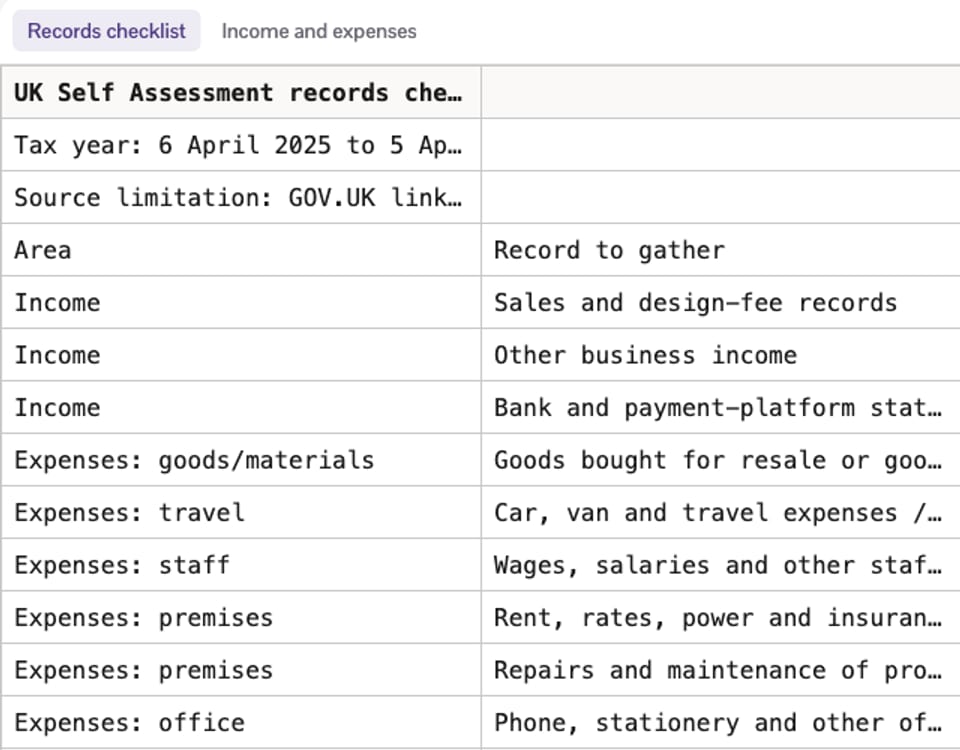
Then we pasted ten rows of a made-up bank export and asked it to sort them. The totals on the second tab became formulas over those rows, so moving a transaction moves its money.
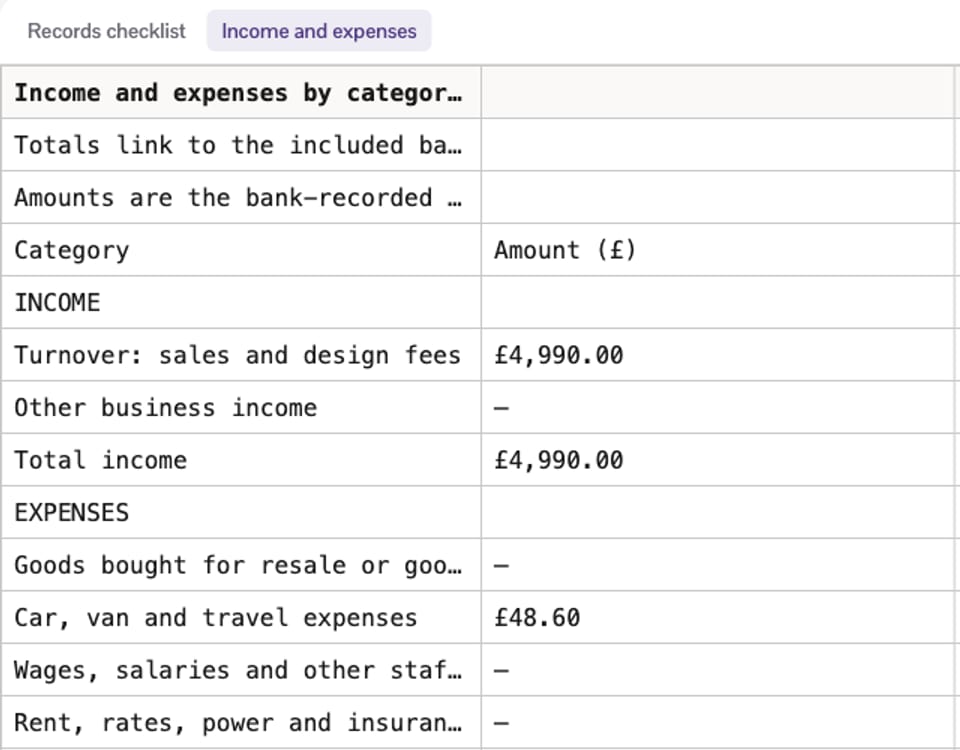
The sums check out against the rows: £4,990 in, £233.08 out, £4,756.92 left before any other adjustments. The more useful part is what it wouldn't decide. It left a £120 training course and a £42.15 Tesco purchase out of the totals until someone confirmed them, flagged a Stripe payout to reconcile against gross sales and fees, and asked about the business share of a phone bill and whether a train fare was ordinary commuting.
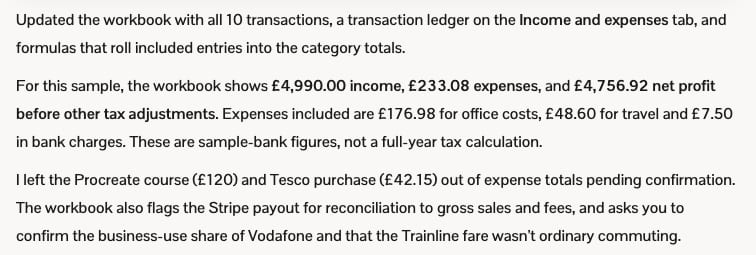
Those are the questions an accountant would ask, and only you know the answers.
One limit from our test: the web lookup wasn't available on the machine we ran it on, so askROI said it couldn't confirm the GOV.UK pages live, and it wrote that limitation into the workbook. Whatever it tells you, open the pages it links and read them against your own situation. The fact checker can help you test a specific claim, and for a rule that decides real money, the GOV.UK page wins.
What Making Tax Digital changes from April 2026
Making Tax Digital for Income Tax applies to sole traders and landlords registered for Self Assessment, and your qualifying income decides when:
| Qualifying income | In the tax year | You start |
|---|---|---|
| Over £50,000 | 2024 to 2025 | 6 April 2026 |
| Over £30,000 | 2025 to 2026 | 6 April 2027 |
| Over £20,000 | 2026 to 2027 | 6 April 2028 |
So the return you're gathering records for now is the one HMRC reads to decide who starts in April 2027. It writes to you if you have to.
This is general information, not tax advice. If your affairs are complicated or the amounts are large, have an accountant look before you file.