All AI tools
AI PDF Generator
Describe the document you need and get a formatted, ready-to-send PDF back in one message.
Sign in before choosing files. Only your text draft is saved. Choose your files here after signing in.
Create
.
Tap a field to fill it in
Nothing sends until you start, and you can change anything afterwards.
Export formats
- PDF (.pdf)Opens anywhere and prints as laid out.
Every export also lands in your Library as an artifact you can revise, share with a link, and pick up again in another chat.
How it works
- Describe the document you want, or paste the notes it should be built from.
- askROI drafts the content and lays it out as a real PDF, showing its work as it goes.
- Download it, or keep chatting to change the wording, structure, or formatting.
What people use it for
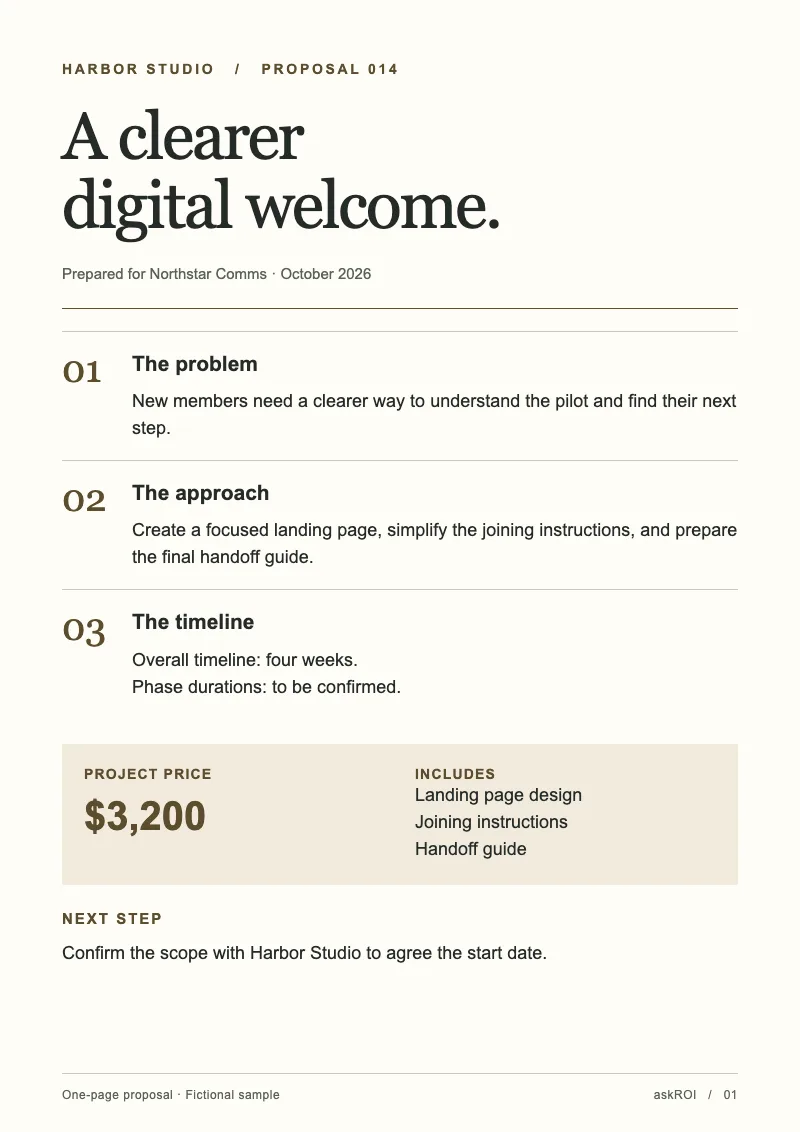
- Proposals and quotesturn a scope and a price list into a client-ready document.
- Reportsconvert raw notes or exported data into a structured report with tables.
- Handouts and one-pagerscompress a long document into a single readable page.
- Forms and checklistsproduce a printable checklist from a process you describe.
Questions
- Is the AI PDF generator free?
- Yes. You can create PDFs on the free plan. Paid plans raise the usage limits and include more credits for Premium mode.
- Can I edit the PDF after it is generated?
- Keep chatting. Ask for a different structure, tone, or layout and askROI rebuilds the file. Every output is an editable draft, not a final answer.
- Can it build a PDF from a file I already have?
- Yes. Attach a document, spreadsheet, or set of notes and ask for a PDF built from it.
- What does it not do?
- It does not fill in facts you have not given it. Where a figure is missing it leaves a marked placeholder rather than inventing a number.

 askROI