All AI tools
AI Checklist Generator
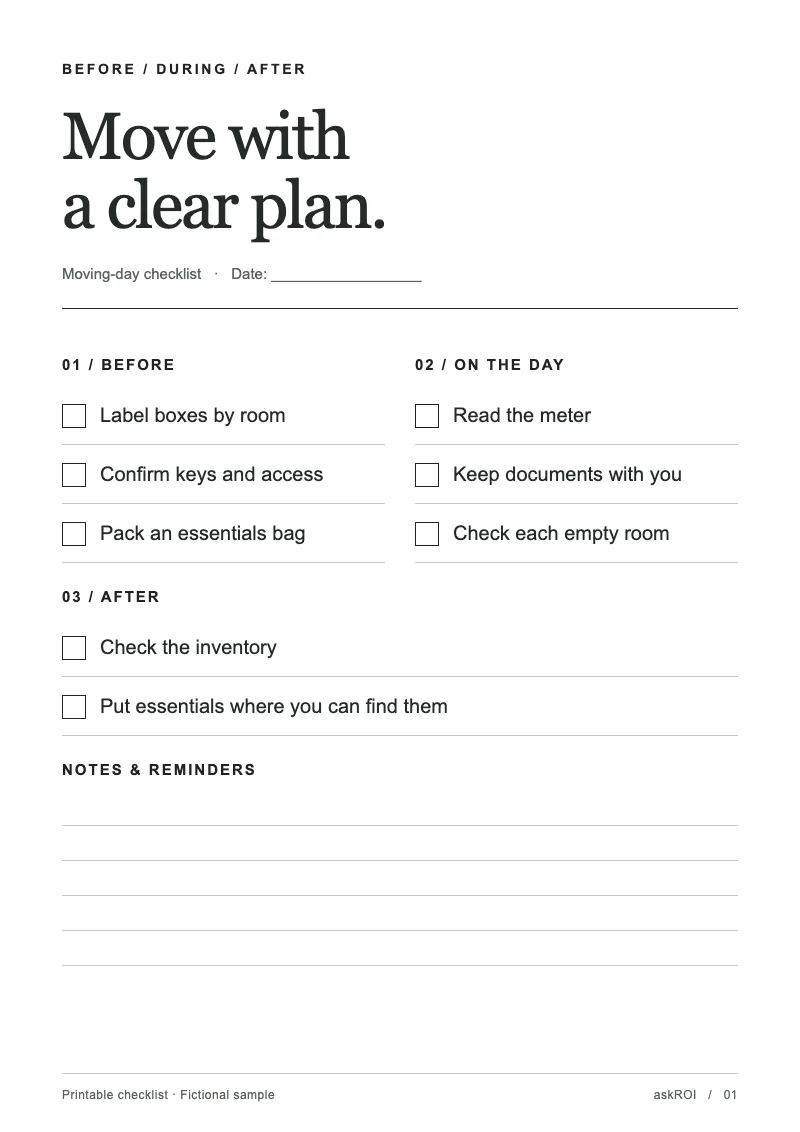
Name the event or the process. Get back a printable checklist as a PDF, grouped by phase, with a checkbox on every line and room for notes.
Sign in before choosing files. Only your text draft is saved. Choose your files here after signing in.
Make
,
Tap a field to fill it in
Nothing sends until you start, and you can change anything afterwards.
Export formats
- PDF (.pdf)Opens anywhere and prints as laid out.
Every export also lands in your Library as an artifact you can revise, share with a link, and pick up again in another chat.
How it works
- Tell askROI what you are preparing for and anything specific about your situation.
- It groups the steps by phase, gives every item a checkbox and a leading verb, folds in the commonly forgotten items that fit, leaves a notes area, and builds the PDF.
- Print it and tick it off, or ask for a shorter version, a different phase split, or items you want added.
What people use it for
- Eventsa before, during, and after list for a launch, a wedding, or a trade show stand.
- Onboarding and handoversthe same steps every time someone joins or leaves.
- Moves and tripseverything to pack, book, cancel, and confirm, in the order it happens.
- Recurring processesa month end close or a site inspection as a list you can hand to someone else.
Questions
- Is the AI checklist generator free?
- Yes. You can make checklists on the free plan. Paid plans raise the usage limits and include more credits for Premium mode.
- How is the checklist laid out?
- Items are grouped by phase under a clear heading, usually Before, During, and After, and ordered within each phase by when they happen. Every item is one line, starts with a verb, and has a checkbox. A notes area follows, either ruled lines per phase or one block at the end. It prints black on white and stays to a few pages.
- Will it add things I did not mention?
- Yes, on purpose. It folds the commonly forgotten items that fit your situation, such as redirecting the post for a house move, into the right phase. Delete any that do not apply.
- Can I track the items with owners and dates instead?
- The checklist is built as a PDF for printing. If you want owners, due dates, and a status on each item, ask in the same chat for a project tracker spreadsheet and askROI builds that as an Excel file.
- Can I edit it after it is generated?
- Yes. Ask askROI to add, remove, or reorder items, or split a phase, and it rebuilds the PDF.