All AI tools
AI Budget Planner
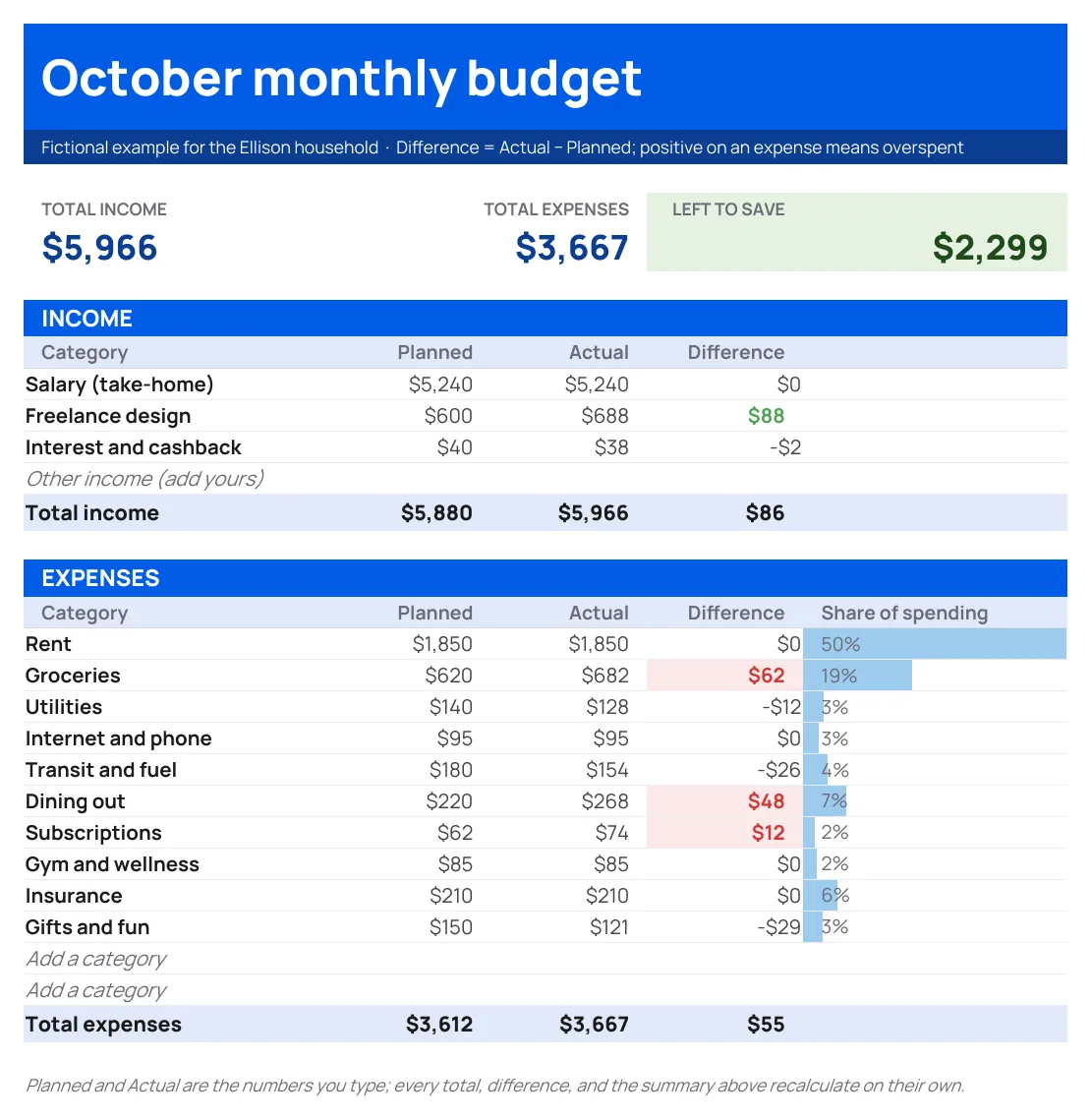
Tell askROI your income and bills. Get back a monthly budget spreadsheet template, filled in with your numbers and working formulas that show what is left to save.
Sign in before choosing files. Only your text draft is saved. Choose your files here after signing in.
Build
a
Tap a field to fill it in
Nothing sends until you start, and you can change anything afterwards.
Export formats
- Excel spreadsheet (.xlsx)Opens in Excel, Numbers, and Google Sheets.
Every export also lands in your Library as an artifact you can revise, share with a link, and pick up again in another chat.
How it works
- Give askROI your income and your typical monthly bills, roughly is fine.
- It builds a spreadsheet with categories, planned versus actual columns, and formulas for totals and what is left.
- Download the Excel file and change any number; the totals update on their own.
What people use it for
- First budgetsee where the money goes without building a spreadsheet from scratch.
- Savings goalsee what is left to save each month and change a category until it meets the goal.
- Householdcombine two incomes and shared bills in one place.
- Debt payoffsee how much can go toward a balance each month after essentials.
Questions
- Does it use real formulas or just typed numbers?
- Real formulas. Totals, remaining amounts, and savings figures are calculated in the sheet, so editing a bill updates everything else.
- Will it make up bills I did not mention?
- No. It uses your numbers and adds empty rows for common categories you did not list, so you can fill them in or delete them.
- Can I open it in Google Sheets or Numbers?
- Yes. It is a standard Excel file and opens in Google Sheets, Numbers, and LibreOffice with the formulas intact.
- Can I reuse it as a budget template every month?
- Yes. Totals, differences, and what is left to save are formulas, and the Actual column stays blank until you fill it in, so you can enter each month's spending as it happens. Labeled blank rows are there for categories you did not mention.
- Can I change the categories later?
- Yes. Ask askROI to add, rename, or split categories and it rebuilds the file, or edit it directly in your spreadsheet app.

 askROI