All AI tools
AI Lesson Plan Generator
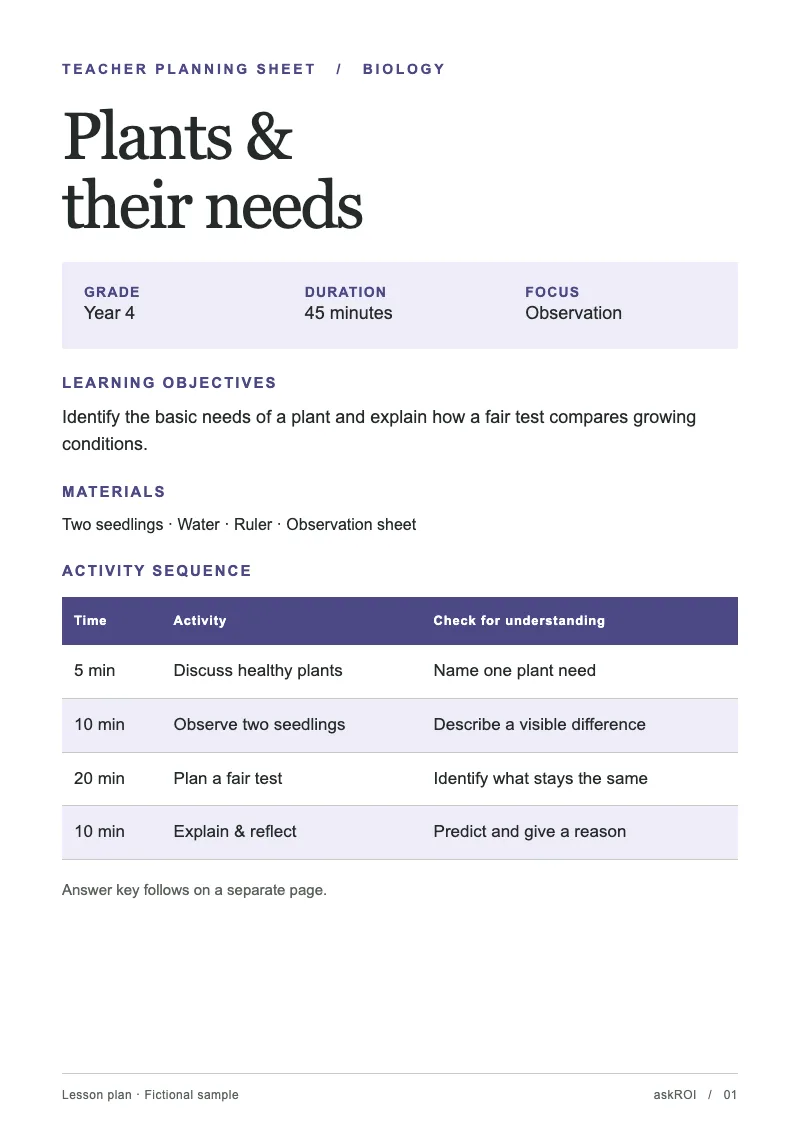
Name the subject, the year group, and the topic. Get back a printable lesson plan as a PDF with objectives, activities, and timings.
Sign in before choosing files. Only your text draft is saved. Choose your files here after signing in.
Plan
lesson
for
as
Tap a field to fill it in
Nothing sends until you start, and you can change anything afterwards.
Export formats
- PDF (.pdf)Opens anywhere and prints as laid out.
Every export also lands in your Library as an artifact you can revise, share with a link, and pick up again in another chat.
How it works
- Give askROI the subject, the level, the topic, and how long the lesson runs.
- It writes objectives, a timed sequence of activities, the materials list, and a check for understanding, then lays it out as a PDF.
- Print it, or ask for a different activity, a shorter lesson, or more differentiation.
What people use it for
- Cover lessonshand a colleague a complete plan for a class they do not usually teach.
- New topicsget a first plan to adapt rather than starting from nothing.
- Observationsproduce a clearly structured plan with objectives and assessment stated.
- Adult and community classesplan a session without a scheme of work behind it.
Questions
- Does it follow my curriculum?
- It writes to the subject, level, and topic you give it. Paste the relevant curriculum statement or learning objectives and it aligns the plan to them.
- Can I change an activity?
- Yes. Ask askROI to swap the practical, shorten the starter, or add a stretch task and it rebuilds the PDF.
- Does it include worksheets or slides?
- The plan lists the materials it needs. Ask in the same chat for the worksheet as a PDF or the slides as a PowerPoint and askROI builds those too.
- Will it invent facts for the content?
- It writes from well established subject knowledge and your notes. Check any specific dates, figures, or quotations before they go in front of a class.

 askROI